

Search results for "Excel"
Items in stock - 4 working days delivery time

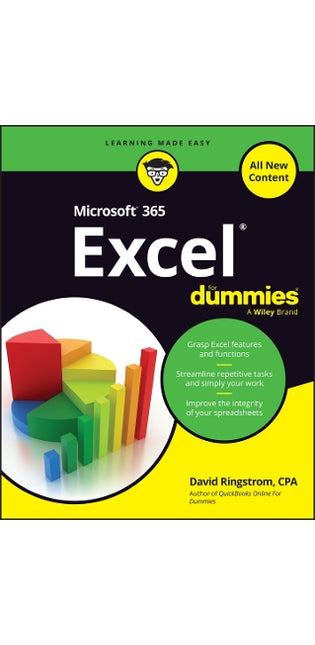
Microsoft 365 Excel For Dummies
Make Excel work for you with this brand new guide to spreadsheet essentials Knowing a little about Excel is essential for almost every profession. Knowing a lot about Excel makes you one of the most valuable people in the office. Microsoft 365 Excel For Dummies helps you build your spreadsheet skills as it walks you through the basics of creating a spreadsheet, organizing data, performing calculations, and creating charts and graphs in Microsoft's powerful spreadsheet software. This brand new version of the book, written by an Excel guru and expert trainer, helps you develop the skills you need to impress your boss—or just to get things done faster. You'll also get ideas for using Excel to make daily life easier. Ready to become a number cruncher? Create your first spreadsheet and learn how to enter dataImport data from other sources, sort tables, and organize informationRun basic calculations and get more advanced with functionsBuild data visualizations, customize the look of your spreadsheets, and beyond These days, almost everyone who works with computers needs to have basic knowledge of Excel—and more is usually better. Microsoft 365 Excel For Dummies will help you get there.
R 730.00
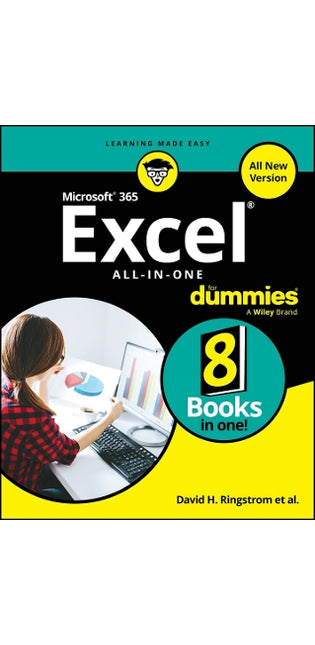
Microsoft 365 Excel All-in-One For Dummies
Get into the nitty gritty of Excel, the all-important spreadsheet tool Microsoft 365 Excel All-in-One For Dummies offers an all-new way to tackle data in Excel. Start with the basics of inputting, formatting, and organizing data and work your way to pro techniques that help with any career field or reason for using the app. Gain the skills to apply advanced formulas and functions, create stunning data visualizations, build dashboards and reports, and automate your spreadsheets. You'll also get a glimpse into how AI tools can boost your work. Eight mini-books come together in this expanded Excel reference. With Microsoft 365 Excel All-in-One For Dummies, you'll soon be the go-to Excel guru in your office or school. Learn the basics of Excel—organizing data, performing calculations, and formatting your spreadsheet.Use functions to handle advanced math and financial analysis.Create data visualizations and summaries to help tell your storyApply basic programming skills using VBA This book is perfect for professionals or students who need to up their Excel game with insight from pros who know the classic spreadsheet app inside and out.
R 1,004.00
Items we need to order for you
R 794.00
R 611.00
R 550.00
Microsoft Excel 365 Bible
Your complete guide to Excel 365, written for newbies all the way to seasoned professionals Neatly organised and written using accessible language, Microsoft Excel 365 Bible contains everything that readers need to know to get up and running quickly with Excel. Covering the numerous updates to Excel 365 since the previous edition was published in 2022, this Second Edition contains many useful examples and tips and tricks that cover all essential aspects of Excel—from the basics, such as navigating the user interface, to more advanced topics, such as creating visualisations and crafting custom functions. Written by an accomplished team of authors with decades of Excel and business intelligence experience, this book explores topics including: Entering and editing worksheet data, with information on data types, formulas, dates, times and other cell contentsBuilding formulas with Excel table objects, correcting common formula errors and using formula variablesWorking with data series, changing basic chart elements and making use of chart customizationLoading data from other sources, performing common transformations and applying conditional logic Microsoft Excel 365 Bible earns a well-deserved spot on the bookshelves of all professionals and individuals seeking to get the most out of Excel 365, from beginners with limited knowledge of the software all the way to advanced users with years of experience under their belts.
R 1,335.00
R 446.00
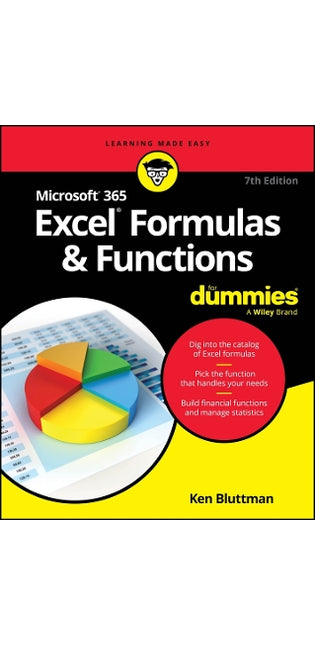
Microsoft 365 Excel Formulas & Functions For Dummies
Turn Excel into an unstoppable data-and number-crunching machine Microsoft Excel is the Swiss Army knife of apps. With over 470 built-in functions and countless custom formulas, the program can help make you the smartest guy or gal in any room. And now that it's been supercharged with Copilot—Microsoft's AI-powered helper—it's even easier to produce accurate and useful results anywhere, anytime. Best of all, it doesn't take an advanced degree in mathematics or data science to take full advantage of Excel's functionality. Just grab a copy of this latest edition of Excel Formulas & Functions For Dummies and get a flying start on the Excel functions and formulas that power up your data superpowers. With this book, you'll: Learn to create and use hundreds of formulas and functions, correct common mistakes, and make calculationsDiscover how to analyze data and calculate statistics, and even work with dates and timesUse the ever-evolving, AI-powered Copilot to expand Excel's functionality and make it easier to use Get ready to transform your copy of Excel at home or at work into an unstoppable toolkit equipped for almost any occasion. Grab a copy of Excel Formulas & Functions For Dummies today!
R 798.00
R 4,884.00
Microsoft Excel Step by Step (Office 2021 and Microsoft 365)
The quick way to learn Microsoft Excel! This is learning made easy. Get more done, more quickly, with Microsoft Excel. Jump in wherever you need answers—brisk lessons and detailed screenshots show you exactly what to do, step by step. Quickly set up workbooks, enter data, and format it for effective visual impactPerform calculations and find and correct errorsManage, filter, summarize, validate, reorder, and combine dataIdentify trends, illustrate processes and relationships, and dynamically analyze dataBuild sophisticated forecasts, key performance indicators (KPIs), and timelinesVisualize data with customized charts, 3D maps, and other powerful toolsImport, process, summarize, and analyze huge data sets with PowerPivot and Power QueryUse powerful Excel Data Models for advanced business intelligence
R 1,049.00
Microsoft Excel Inside Out (Office 2021 and Microsoft 365)
Conquer Microsoft Excel—from the inside out! Dive Into Microsoft Excel for Office 2021 and Microsoft 365 and really put your spreadsheet expertise to work. This supremely well-organized reference packs hundreds of timesaving solutions, tips, and workarounds—all you need to make the most of Excel’s most powerful tools for analyzing data and making better decisions. Renowned Excel expert Bill Jelen offers a complete tour of Excel and its latest innovations, from advanced analysis and visualizations to dashboards. Discover how experts tackle today’s key tasks—and challenge yourself to new levels of mastery. Save time with galleries, keyboard accelerators, and other shortcuts.Enter formulas more efficiently, and fully control operators and dates.Use new data types to return photos, arrays, or weather history— and even create your own.Master Excel’s most widely-used functions.Integrate external data from the web and other sources.Use the new XLOOKUP function to retrieve data more efficiently, with fewer errors.Store powerful specialized logic in LAMBDA functions—and avoid their limitations.Easily transform complex datasets with Power Query.Quickly summarize millions of records with pivot tables.Perform ad hoc analyses and create advanced data mashups.Use Analyze Data’s artificial intelligence to get answers and auto-generate pivot tables.Solve complex problems with What-If, Scenario Manager, Goal Seek, and Solver.Automate repetitive tasks by editing recorded VBA code.Demystify data with conditional formatting and other visualization techniques.Make the most of Excel’s newest maps and charts.Add visual power with icons, 3D models, and animated 3D maps.
R 1,254.00
R 488.00
Excel Quick and Easy
A fast, up-to-date, and convenient desk reference for Excel users of any skill level Drawn from the most important tasks in the latest bestselling Excel Bible , Excel Quick and Easy is your ticket to data mastery. Excel veterans Michael Alexander and Dick Kusleika distil the most essential and useful tasks you need to understand about the world's most popular spreadsheet program, from functions to charts, graphs, formulas and more. Prepare for a whirlwind tour of Excel, packed with simple and step-by-step guides to common and lesser-known Excel features. This book shows you how to: Create new spreadsheets and workbooks by entering and editing worksheet dataSimplify working with large amounts of data by naming and moving rangesMake calculations and draw conclusions from your data by using formulasVisualize and present your data by creating functional charts The secret weapon in your productivity arsenal Being great at Excel is quickly becoming a standard expectation for a ton of employers and organizations, in all sorts of industries. Sharpening your skills can boost your workplace performance and make it easier to land promotions or find new roles. Excel Quick and Easy makes it a breeze to develop the proficiencies that help you stand out from your peers. Unique features of this book Step-by-step guides to the most commonly used and productive Excel tasks, from basic worksheet operations to formatting spreadsheets for hardcopy printingIntuitive explanations for making your data tell a compelling story with visualizations, including charts, graphs, and tablesAdvanced number-crunching techniques, including formulas and functions, that help you unlock fresh insights and new conclusions from your data Excel Quick and Easy is the perfect reference for brand-new Excel users trying to get up-to-speed quickly and confidently. It's also a must-read for anyone migrating from another spreadsheet program, like Google Sheets, or more experienced Excel users who need to solidify and improve their skills. If you're tired of stumbling through your spreadsheets and just “surviving” in Excel, grab a copy of Excel Quick and Easy and supercharge your productivity. You'll refine your understanding of the basics, learn brand-new skills and features, and become the Excel expert that every office desperately needs.
R 456.00
R 544.03
Microsoft® Excel 3. 0
1 Vorwort und Einleitung Der eine odcr andere Leser dieses Buches wird sich vielleicht noch an die ersten Schuljahre erinnern, in denen man immer wieder sog. Rechenpackchen durcharbeiten muBte. Das waren 10 oder mehr untereinandergeschriebene Zahlen, die addiert oder subtrahiertwerden muBten. Je schneller man die Losung gefunden hatte, desto eher konnte man zu den Freunden zum Spielen. Was hatte man damals fur einen Taschenrechner oder gar einen modernen Personal Computer (PC) mit einem Kalkulationsprogramm gegeben. Allerdings hatte man trotz del' elektronischen Hilfe die Zahlen- werte einmal eingeben mussen, bevor man die Bereehnungder Summen odeI' Differenzen haue vornehmen konnen. Diese la- stige Eingabearbeit kann uns allerdings del' PC leider noch nicht abnehmen. Das Losen soleh massenhafter Reehenaufga- ben konnte man auch vornehm als lisen umfangreicher kalkulato- rischerProblemstellungen bezeichnen. Auch wenn die nette Bedie- nung nach einem gelungenen Mahl die Kosten fur die einzel- nen Speisen und Getranke untereinander schreibt, handelt es sich urn ein vergleichbares Problem mit einer gleichen Pro- blemlosung: einer Tabelle. In spateren Schuljahren oder gar wahrend des Studiums wur- den die kalkulatorischen Probleme dann immer komplexer und umfangreicher. Viele werden auBer einem Taschenrech- ner nicht viel mehr an elektronischer Hilfe gehabt haben. Es sei denn, man hatte einen GroB-Rechner vom Kaliber einer IBM /370 oder eine DEC PDPll zur Verfiigung, aber solehe Helfer unterstiitzten sicher die wenigsten von Ihnen.
R 1,685.91
Microsoft Excel 2019 Step by Step
The quick way to learn Microsoft Excel 2019! This is learning made easy. Get more done quickly with Microsoft Excel 2019. Jump in wherever you need answers–brisk lessons and detailed screenshots show you exactly what to do, step by step. Quickly set up workbooks, enter data, and format it for easier viewingPerform calculations and find and correct errorsCreate sophisticated forecast worksheets, key performance indicators (KPIs), and timelinesVisualize data with 3D maps, funnel charts, and other powerful tools Import, process, summarize, and analyze huge datasets with Excel’s improved PowerPivot and Power QueryBuild powerful data models and use them in business intelligence Look up just the tasks and lessons you need
R 912.00
Microsoft Excel Functions and Formulas with Excel 2019/Office 365
In this completely updated edition covering Excel 2019, previous versions, and Office 365, Microsoft Excel Functions & Formulas 5/E demonstrates the secrets of Excel through the use of practical and useful examples in a quick reference format. Easy to use and equipped with a variety of functions, Microsoft Excel is the tool of choice when it comes to crunching numbers, building charts, and analyzing tables. The book's extensive examples and added video tutorials make it an excellent resource for all Excel users who want to understand, create, and apply formulas. Experienced users will also find Microsoft Excel Functions & Formulas 5/E an excellent reference for many of the program's advanced formulas and functions. The text is easy to understand with numerous step-by-step instructions and the actual, ready to use, Excel screenshots of the input and output from the formulas. The book includes companion files with video tutorials, over 250 worksheet files of examples for numerous functions, formulas, and all the figures from the text.FEATURES:Includes companion files with video tutorials, over 250 Excel worksheet examples, and all of the figures from the text (including 4-color)Completely updated to cover Microsoft Excel 2019, previous versions, and Office 365Saves hundreds of hours with the latest Excel tips, worksheets, and shortcuts Written by a proven author with Microsoft Valued Professional(MVP) statusThe Companion Files are also available for downloading from the publisher by emailing proof of purchase to info@merclearning.com.
R 1,527.00
Microsoft® Excel
Hochleistungsfahige Prozessoren im Bereich der Personal-Computer sowie hochaufl?sende Monitore und Drucker mit Buchdruck-Qualit't fordern eine neue Software, die in der Lage ist, die angebotenen M?glichkeiten zu nutzen. Diese neue Software er?ffnet eine vielf?ltige Anwendungsbreite und gewinnt durch eine graphische Benutzeroberfl?che ein Mehrfaches an Bedienerfreundlichkeit. Microsoft hat durch die Schaffung der Windows-Oberfl?che eine neue Softwareebene oberhalb der bekannten Produktfarnilie (Word, Chart, Multiplan) erschlossen, die auf die oben beschriebenen Hardwaredimensionen abgestellt ist. Mit Microsoft Excel ist eine Windowsapplikation vorgestellt worden, die alle Merkmale der Windows-Oberfl?che, wie graphische Benutzeroberfl?che, erweiterte Speicherausnutzung und dynarnischer Daten- austausch nutzt. Microsoft Excel ist ein leistungsfahiges Tabellenkalkulationsprogramm mit integrierter Datenbankfunktion und Gesch?ftsgraphik. Das bereitgestellte Leistungsspektrum ist der- art vielfliltig, d selbst wir, nach etwa einem Jahr intensiver Nutzung, immer wieder neue Dimensionen in diesem Prograrnmpaket entdecken. Der Benutzer wird aus dem gebote- nen Leistungsspektrum allenfalls die H?lfte der M?glichkeiten aussch?pfen, die Microsoft Excel bietet. Dieses Buch soll dem interessierten Excel-User besonders einen Einblick in die Bereiche bieten, die ihm im t?glichen Umgang mit einem solchen Programm die Arbeit wesentlich erleichtern. Dazu haben wir, an Beispielen aus der Praxis, die Grundfunktionen dieses Tabellenkalkulationsprogrammes dargestellt und dariiber hinaus erl?utert, wie die Arbeits- abl?ufe durch Makros automatisiert werden k?nnen. Nach dem Durcharbeiten der Bei- spiele dieses Buches haben Sie nicht nur vertiefte Excel-Kenntnisse erworben, sondern Sie besitzen auch Anwendungsprogramme, die der Verwaltung von Anlageverzeichnissen oder der Reisekostenabrechnung dienen.
R 1,678.74
R 504.00
R 496.00
R 485.00
Microsoft Excel Formulas and Functions (Office 2021 and Microsoft 365)
Use Excel 365 and Excel 2021 core features to build spreadsheets that solve business problems and deliver reliable answers. Drawing on his unsurpassed experience, Paul McFedries helps you make the most of formulas and functions, including recent improvements ranging from dynamic arrays to XLOOKUP and LET. McFedries’ step-by-step projects walk you through handling key tasks, from building timesheets to projecting cash flow and aging receivables. His practical examples and clear instructions demystify intermediate-to-advanced-level formula construction, and help you leverage Excel’s most useful functions in your everyday work. Becoming an Excel expert has never been easier! By reading this book, you will: Improve business analyses by adding intelligence and knowledge to your modelsReplace cumbersome formulas with convenient predefined functionsUse modern lookups to make your formulas more powerful and flexibleSimplify complex calculations with dynamic arrays in Excel 365 and Excel 2021Use conditional formatting to reveal anomalies, problems, or opportunitiesCalculate loan payments, interest costs, terms, and amortization schedulesProject the future value of investments, and plan to achieve investment goalsMaster essential discounting and cash-flow analysis tools, including NPV and IRRSort, filter, and analyze any tabular data, from customers to inventoryEasily analyze huge datasets with PivotTable calculationsPerform sophisticated what-if analyses, scenario planning, and forecastingOptimize profit, cost, or operational efficiency with Solver About This Book For everyone who wants to get more done with Microsoft Excel in less timeFor business and financial professionals, entrepreneurs, students, and others who need to efficiently manage and analyze data
R 1,026.00
R 1,303.00
Microsoft Excel VBA and Macros (Office 2021 and Microsoft 365)
Renowned Excel experts Bill Jelen (MrExcel) and Tracy Syrstad help you automate Excel tasks to get more done, faster than ever. Use this guide to automate virtually any routine Excel task: save yourself hours, days, maybe even weeks. Make Excel do things you thought were impossible, discover macro techniques you won’t find anywhere else, and create automated reports that are amazingly powerful. Bill Jelen and Tracy Syrstad help you instantly visualize information to make it actionable; capture data from anywhere, and use it anywhere; and automate the best new features in Microsoft Excel. You’ll find simple, step-by-step instructions, real-world case studies, and 50 workbooks packed with examples and complete, easy-to-adapt solutions. By reading this book, you will: Quickly master Excel macro developmentWork more efficiently with ranges, cells, and formulasGenerate automated reports and quickly adapt them for new requirementsLearn to automate PivotTables to summarize, analyze, explore, and present dataLeverage more of Excel VBA’s power with classes, collections, and Advanced FilterMake the most of User-Defined Functions (UDFs), including new LAMBDA functionsBuild sophisticated UserForm custom dialogs to collect data from other Excel usersIntegrate data from the Internet, Access and SQL Server databases, and other sourcesAutomatically generate charts, visualizations, sparklines, and Word documentsExtend Excel’s power by controlling other Office programs and Windows itselfCreate Office Add-ins to expand worksheet functionality or streamline retrieval of external informationGet started creating brand-new TypeScript applications for Excel Online About This Book • For everyone who wants to get more done with Microsoft Excel in less time • For business and financial professionals, entrepreneurs, students, and others who need to efficiently manage and analyze data
R 1,250.00
R 535.70
R 1,628.00
R 457.00
R 550.00
Microsoft Excel VBA and Macros
Renowned Excel experts Tracy Syrstad and Bill Jelen (MrExcel) help you automate Excel tasks to get more done faster than ever! This book is designed to equip you with a solid foundation in Microsoft Excel Visual Basic for Applications (VBA), and help you progress to advanced techniques like in-memory processing and custom object programming for efficient data manipulation. You will learn to write and understand VBA code, automate complex Excel tasks, import and export data, interact with cells programmatically, and manipulate data efficiently. You’ll also learn advanced reporting automation, enabling you to generate and update charts and pivot tables through code and develop programs that transform raw data into comprehensive reports with a single click of a button. With clear explanations and practical examples, Tracy Syrstad and Bill Jelen help make complex tasks a breeze! You’ll find simple, step-by-step instructions, real-world case studies, project specification solutions, and 50 workbooks packed with examples and complete, easy-to-adapt solutions. By reading this book, you will: Quickly master Excel macros development —even if you’re starting with no prior experience.Learn the foundations of VBA through clear, step-by-step guidance.Gain insider techniques for cleaner code, better structure, and long-term maintainability.Go beyond how-to tutorials: learn how professionals approach automation.Design advanced userforms with multiple views, custom controls, and data validation.Use custom objects and collections to write scalable, object-oriented code.Extend Excel’s power by automating Word, Outlook, and other Office programs.Integrate data from the internet, Access, text fi les, and other sources.Leverage advanced filter techniques to isolate and manipulate large datasets efficiently.Share your programs using Excel Add-ins (XLAM), Office Add-ins (Office.js), and Office Scripts About This Book For everyone who wants to get more done with Microsoft Excel in less timeFor business and financial professionals, entrepreneurs, students, and others who need to efficiently manage and analyze data
R 1,679.00
R 274.00
R 1,303.00
Excel Essentials
Microsoft Excel is the worlds most widely used worksheet software. It forms part of the Microsoft Office package which is often regarded as the industry standard. This book is aimed at those with basic knowledge of all Microsoft Office products but can be used by those with no previous experience. Parts of this book will also help those who use Excel regularly but are unaware of many of Excel's features to evolve from a fairly basic or adequate user to a reasonably advanced user. It includes chapters on pivottable reports, macros, charts, formatting and interfacing with Microsoft Office and other software programs. For use with English versions of Microsoft Excel 95, 97, 2000, 2002(XP) and 2003 running on Windows 95, 98, NT4, ME, 2000 and XP.
R 1,111.61
R 1,140.00
R 489.00
R 305.00
Microsoft Excel 2019 VBA and Macros
Renowned Excel experts Bill Jelen (MrExcel) and Tracy Syrstad explain how to build more powerful, reliable, and efficient Excel spreadsheets. Use this guide to automate virtually any routine Excel task: save yourself hours, days, maybe even weeks. Make Excel do things you thought were impossible, discover macro techniques you won’t find anywhere else, and create automated reports that are amazingly powerful. Bill Jelen and Tracy Syrstad help you instantly visualize information to make it actionable; capture data from anywhere, and use it anywhere; and automate the best new features in Excel 2019 and Excel in Office 365. You’ll find simple, step-by-step instructions, real-world case studies, and 50 workbooks packed with examples and complete, easy-to-adapt solutions. By reading this book, you will: Quickly master Excel macro developmentWork more efficiently with ranges, cells, and formulasGenerate automated reports and quickly adapt them for new requirementsLearn to automate pivot tables to summarize, analyze, explore, and present dataUse custom dialog boxes to collect data from others using ExcelImprove the reliability and resiliency of your macrosIntegrate data from the internet, Access databases, and other sourcesAutomatically generate charts, visualizations, sparklines, and Word documentsCreate powerful solutions with classes, collections, and custom functionsSolve sophisticated business analysis problems more rapidly About This Book For everyone who wants to get more done with Microsoft Excel in less timeFor business and financial professionals, entrepreneurs, students, and others who need to efficiently manage and analyze data
R 912.00
R 657.00
Microsoft Excel Data Analysis and Business Modeling (Office 2021 and Microsoft 365)
Master business modeling and analysis techniques with Microsoft Excel and transform data into bottom-line results. Award-winning educator Wayne Winston’s hands-on, scenario-focused guide helps you use today’s Excel to ask the right questions and get accurate, actionable answers. More extensively updated than any previous edition, new coverage ranges from one-click data analysis to STOCKHISTORY, dynamic arrays to Power Query, and includes six new chapters. Practice with over 900 problems, many based on real challenges faced by working analysts. Solve real problems with Microsoft Excel—and build your competitive advantage Quickly transition from Excel basics to sophisticated analyticsUse recent Power Query enhancements to connect, combine, and transform data sources more effectivelyUse the LAMBDA and LAMBDA helper functions to create Custom Functions without VBAUse New Data Types to import data including stock prices, weather, information on geographic areas, universities, movies, and musicBuild more sophisticated and compelling chartsUse the new XLOOKUP function to revolutionize your lookup formulasMaster new Dynamic Array formulas that allow you to sort and filter data with formulas and find all UNIQUE entriesIlluminate insights from geographic and temporal data with 3D MapsImprove decision-making with probability, Bayes’ theorem, and Monte Carlo simulation and scenariosUse Excel trend curves, multiple regression, and exponential smoothing for predictive analyticsUse Data Model and Power Pivot to effectively build and use relational data sources inside an Excel workbook
R 1,618.00
R 244.00
R 1,303.00
R 299.00
R 916.00
Microsoft Excel
Microsoft Excel By: The simplest and quickest guide to operating Excel's complex system! Need to learn Excel quick and easy? Want to know the power of Excel spreadsheets? Tips and secrets revealed of the Microsoft giants program! Shortcuts, quick entries and anything else to make Excel an easy application Want to skip an entire semester or program learning excel? Everything from navigation, performing commands to formatting! Want a better understanding of excels power and functionality of formulas?How about charts or complex spreadsheets? One CLICK and that all gets answered so PURCHASE NOW!
R 1,142.00
R 759.13
Microsoft Excel 2010
This book contains formal letters which express views/ideas/ opinions on all occasions, personal, family, close acquaintance. This book will definitely be quite useful in writing an impressive letter in every field.
R 554.00




-
, by sungano kanjere Exclusive Books Recommends in October features Eben Etzebeth’s new release as Book of the Month, Elizabeth Gilbert’s luminous memoir, and standout South African voices in fiction and non-fiction.
Exclusive Books Recommends is a selection of monthly recommended titles.